 FREEGold Glitter
FREE / BRUSHES
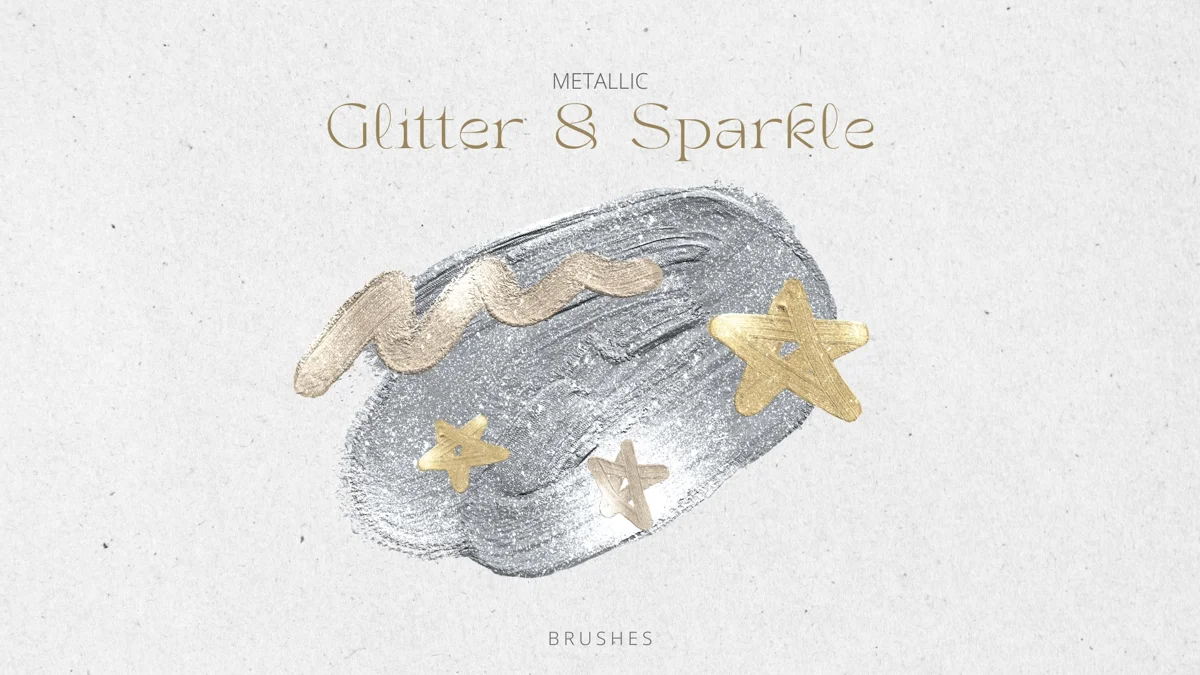
Glitter & Sparkle
A broad set of 64 glitter and sparkle brushes for decorative finishing touches. Download the complete brushset, then keep a few favorites in a working collection.
- Format
- BRUSHSET
- Download size
- 90.4 MB
- Brushes
- 64
Free download · No account required
Keep your resources together on iPad.
Brushes for Procreate+ ↗GET STARTED
Bring it into Procreate
Save the .brushset to Files on your iPad. Tap it to import, or use Import in Procreate’s Brush Library. A brushset is already packaged for Procreate; do not unzip it.
Read the step-by-step guide ↗ONE SMALL EXPERIMENT
Try this first
Try the same stamp at three sizes before placing it near important lettering.
Check the original creator’s license before commercial use. Download availability does not grant resale or redistribution rights. About licenses.
A PRACTICAL START
Try the sparkle before committing to a whole drawing
This is the larger glitter collection. Import the set once, then compare a few brushes on a separate test layer before choosing one for the final artwork.
- 01
Start with the shape
Draw a word, star, or simple silhouette in a solid color first. You can see whether the sparkle helps the subject only when the subject already reads clearly.
- 02
Make a three-size test
Try one brush at small, medium, and large sizes on the same layer. Zoom out to the size at which you expect someone to see the finished image. Keep the size that still lets the underlying shape show.
- 03
Use one place for the brightest marks
Add a few accents near the focal point, then turn the sparkle layer off and on. If the subject is clearer with it off, remove marks or lower the layer opacity.
About the file: One .brushset with 64 brushes, 90.4 MB. Save it to Files on your iPad and wait for the download to finish before importing. Procreate can import a .brushset directly; leave the extension intact.
Want a much smaller download for a gold accent? Gold Glitter ↗
For the current import controls, see the Procreate Brush Libraries handbook ↗.
KEEP EXPLORING